The full application takes about 10 minutes. Most members are approved within two business days.
01
Create an account
Visit the My AHA portal and create your account with your name and work email. Takes 2 minutes.
02
Pay for the membership
Choose your tier and complete secure checkout. African clinicians receive complimentary access to many programs.
03
Complete your profile on the portal
Log into your portal and add your role, institution, country, and professional interests so we can tailor your member experience.
04
Get verified
Our team reviews your application within two business days and unlocks your member access. You will receive a welcome email with next steps.
MEMBERSHIP GUIDE
How to become an AHA member.
Nine steps from interest to active membership. Most members complete it in under 10 minutes.
Steps 1-3
Sign up & submit
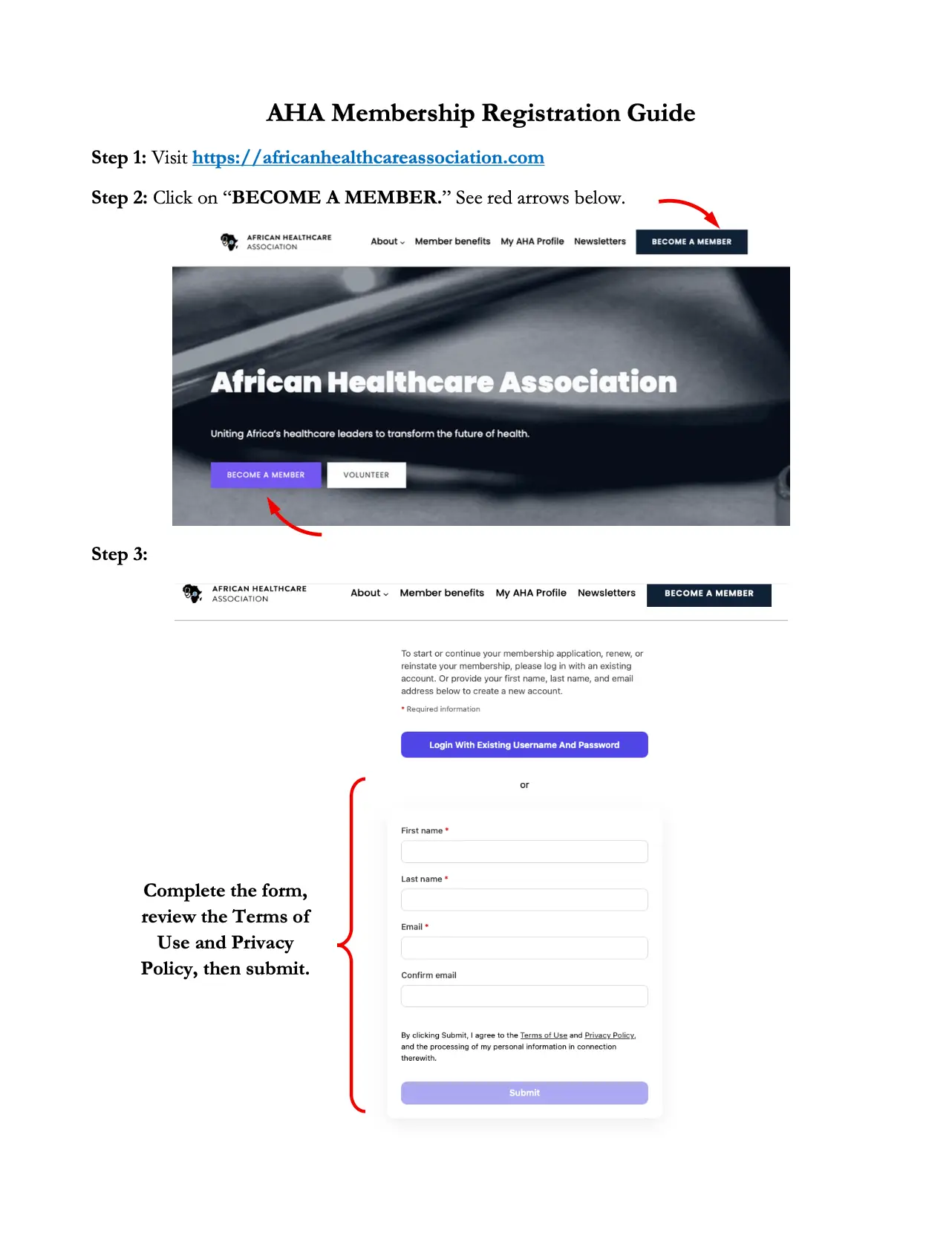
Visit africanhealthcareassociation.com, click “Become a Member” in the top navigation, then fill in your name and email, review the Terms, and submit.
Steps 4-6
Confirm your email
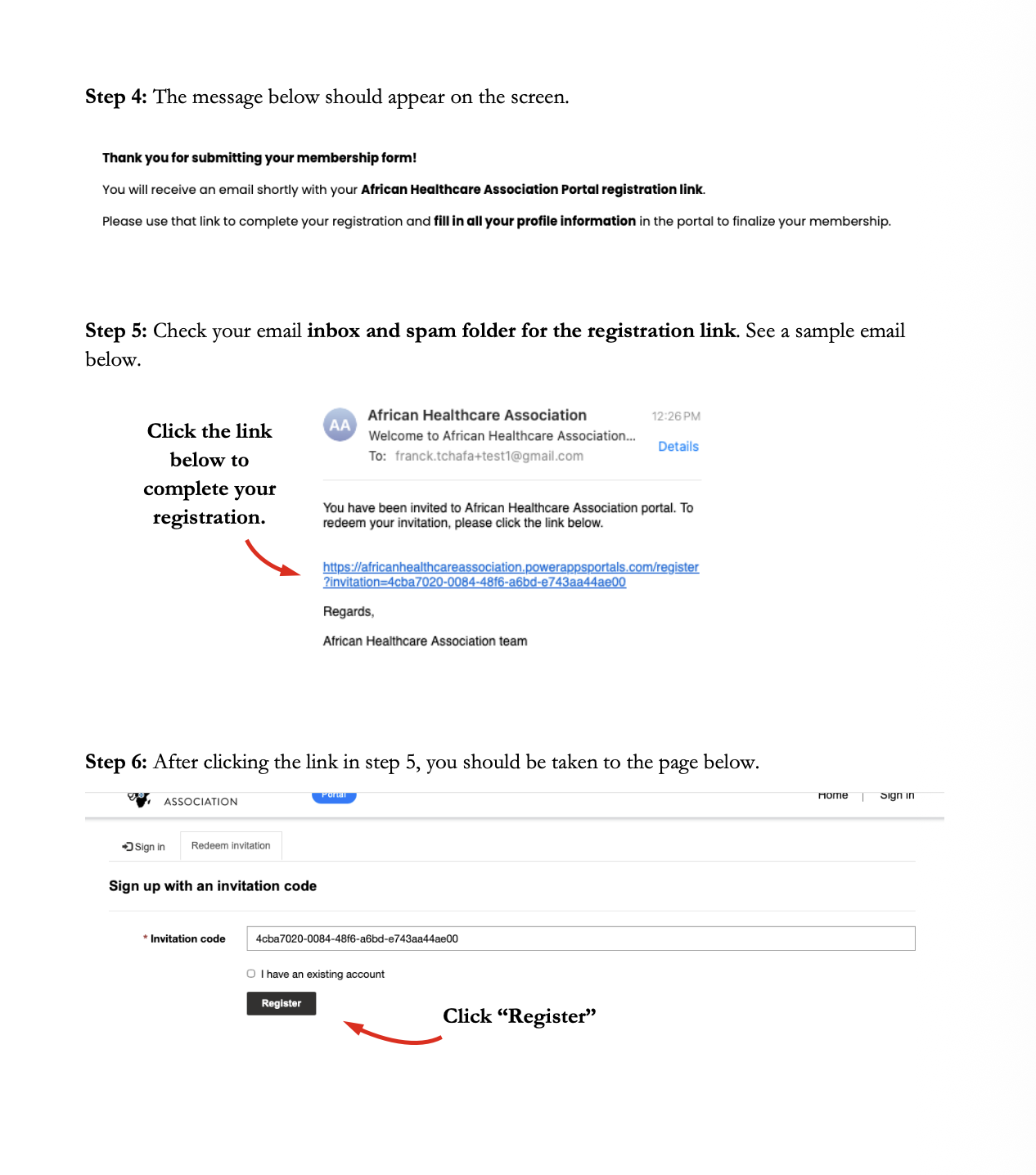
A confirmation message appears on screen. Check your inbox and spam folder for the AHA registration link, then click “Register” on the invitation page.
Step 7
Create your local account
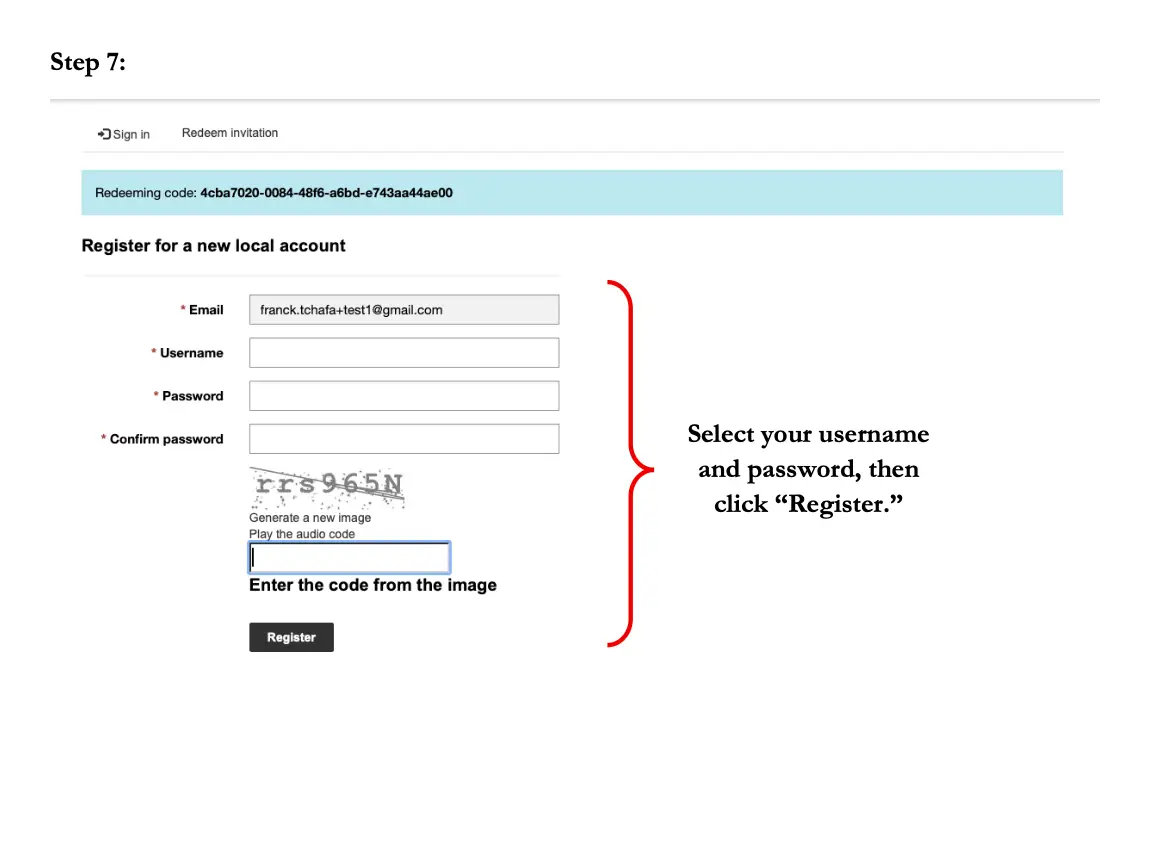
Pick a username and password, complete the CAPTCHA, then click Register to create your portal account.
Step 8
Complete your profile
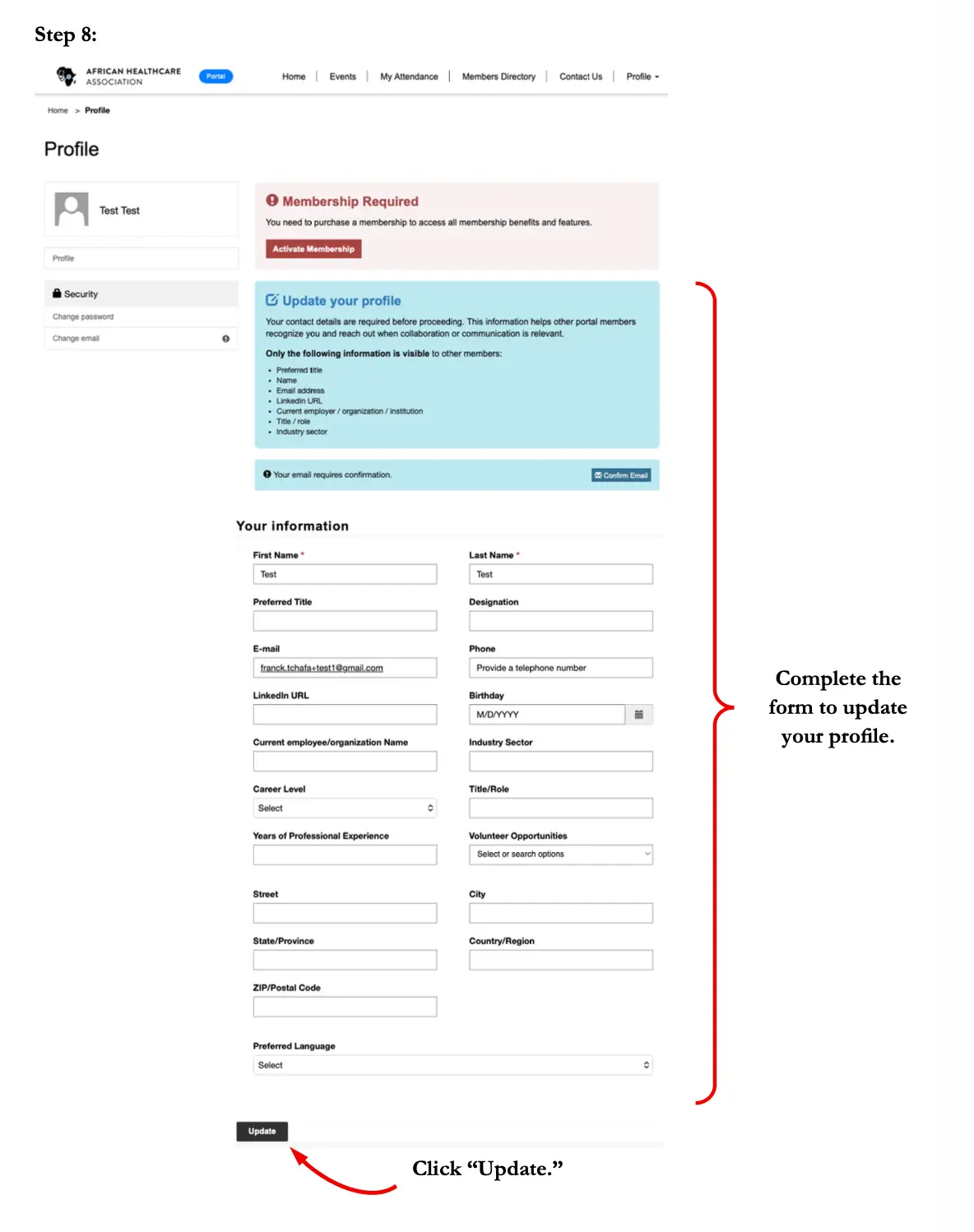
Update your personal information including title, designation, country, and LinkedIn. Then click Update to save your profile.
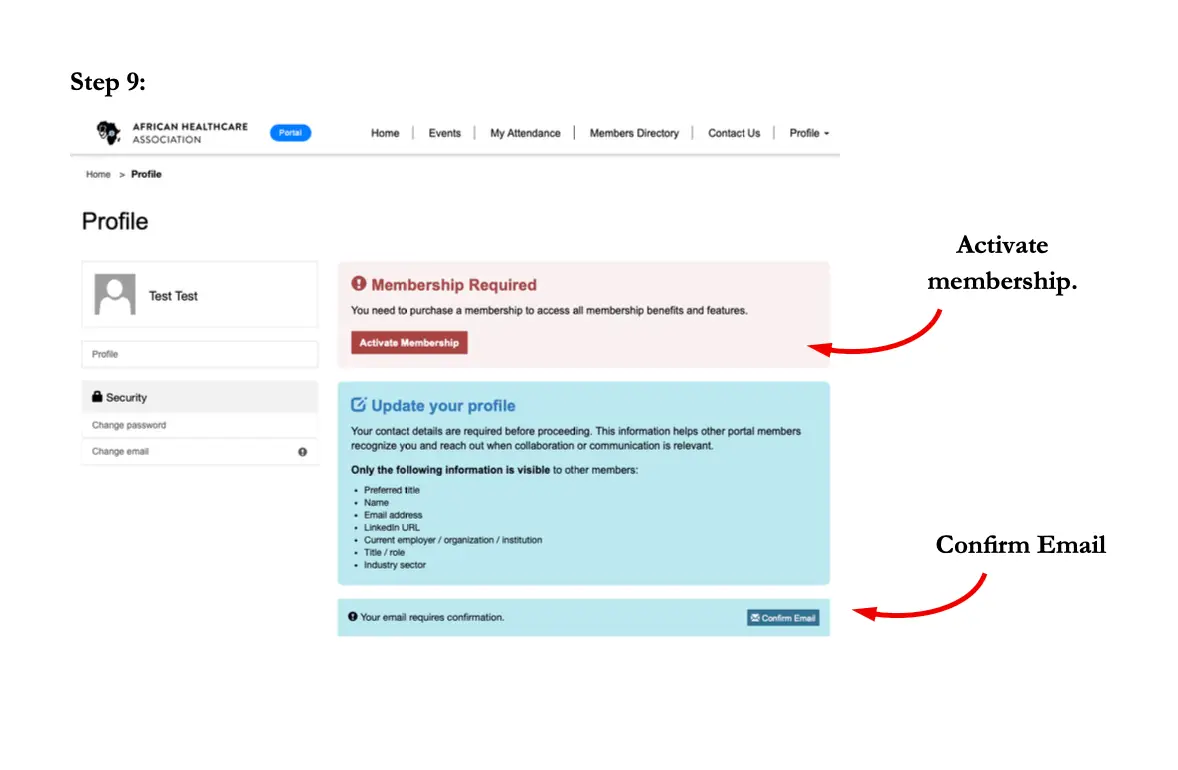
Step 9
Activate your membership
Click “Activate Membership,” confirm your email, and you are now an active AHA member.